Detailed Settings (Smartphone, docomo Feature Phone [sp-mode] Screen Images)
How to Access Disaster Message Board
Select  (Disaster Message Board) from dmenu or the DOCOMO website.
- Packet communications charges apply to access dmenu and the DOCOMO website.
- The English version can be accessed from the "English" link on the Japanese Disaster Message Board.
How to Post Messages
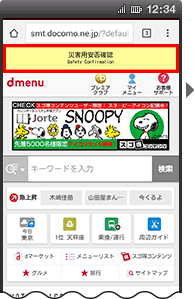 (Disaster Message Board) displayed in
  (dmenu).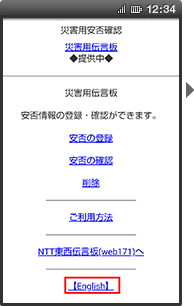

- Messages will be saved until the service for the disaster concerned is terminated. Up to ten messages can be posted. (When more than ten messages are posted, the oldest messages are overwritten in sequence.)

- You can select multiple status options. You can also just post a comment without selecting a status option.
- You can also post both a status and a comment.

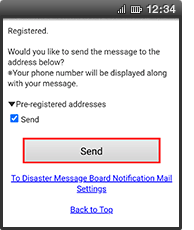
If you wish to send Disaster Message Board Notification Mail, press "Send". ("Send" boxes are selected by default.)
- Will be displayed if the recipients' mail addresses have been registered beforehand.
How to Check Messages
- You can also check messages from a PC, etc.
(Japanese version) http://dengon.docomo.ne.jp/top.cgi
(English version)http://dengon.docomo.ne.jp/Etop.cgi - The message board can only be accessed when the service is activated. Please note that it cannot be accessed at any other time.
How to check messages
(Disaster Message Board) displayed in (dmenu).


If messages are posted


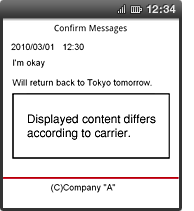
If a message has been posted on non-DOCOMO carriers' disaster message boards (All carrier search service)
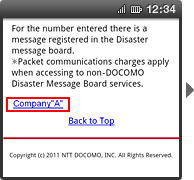
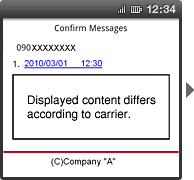
- Packet communications charges apply when accessing to non-Docomo Disaster Message Board.
About searching for safety status information posted to Google Person Finder
You can search for safety status information posted to Google Person Finder provided by Google from DOCOMO Disaster Message Board.


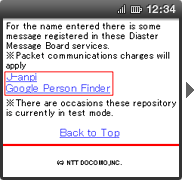
(The screen image shows an example when there is safety status information posted to Google Person Finder.)

(The screen image shows and an example when there is safety status information posted to Google Person Finder.)
- This service is not available when Google Person Finder is not being provided.
- Packet communications charges apply when viewing information posted to Google Person Finder.
How to Set Disaster Message Board Notification Mail Recipient Addresses
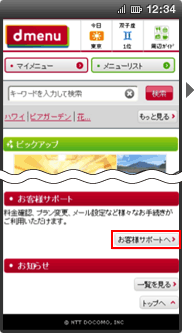
[1] Select  (Email and Various Settings) from My docomo.
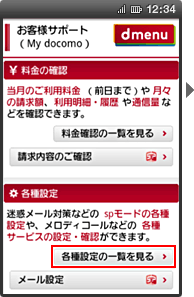
 (Disaster Message Board Notification Mail settings) from
  (Life Support).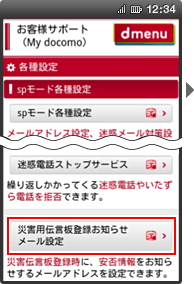
 (Check/Change Settings).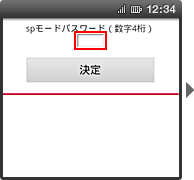
 (Enter).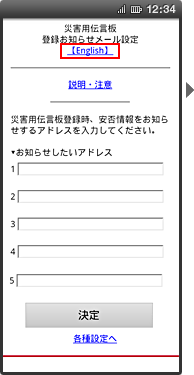
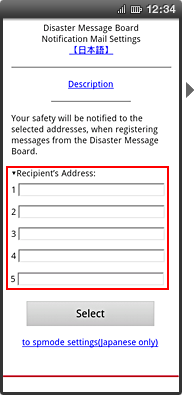
- You can register Internet e-mail addresses and those of non-DOCOMO mobile phones in addition to i-mode and sp-mode addresses.
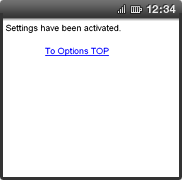
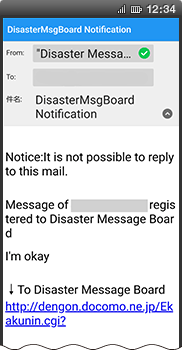
Screen Images for "Disaster Message Board Notification Mail"
Disaster Message Board Notification Mail